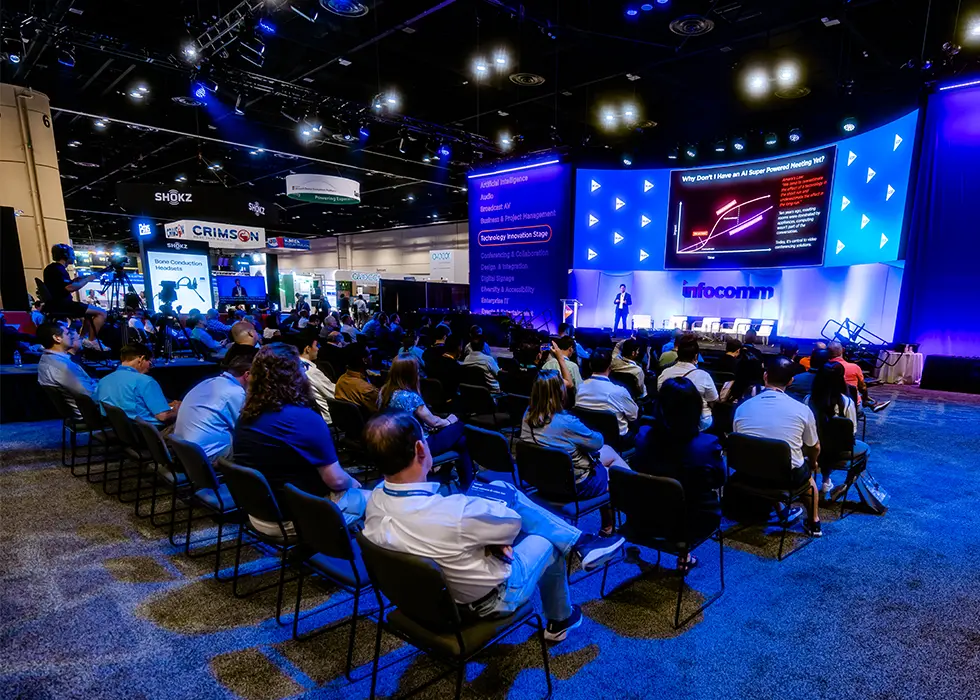
At InfoComm 2026, the education session "Maximizing Audience Engagement in Live Streamed Events" brought together industry professionals to share insights and real-world experiences in live streamed event production. Moderated by Jesse Miller, CEO of Midtown Video, the panel featured Stream Virtual Productions CEO and Executive Producer Nate Hall and the company's Director of Operations Caitlin Shurilla, as well as Pfizer Event Broadcast and Production Lead Sean Sullivan, who joined remotely.
The goal, Miller said early on, was for attendees to walk away with ideas they could use right away.
"We want to make sure you get a chance to level up today and take something home to use tomorrow to further engage your audience in streams," he said.
Here are four key takeaways from the session.
Four Strategies for Engaging Your Live Stream Audience
1. Take Engagement Beyond a Poll or Q&A
One of the first points the panel made was that engagement shouldn’t be treated as a box to check at the end of a presentation.
Hall said many teams assume a stream is engaging because it includes a poll, Q&A, or chat feature. While those tools can help, he argued that engagement begins with the overall viewing experience.
"The one thing you always have to ask yourself when you're making a live stream is, 'Somebody has to watch this.’ So if it's boring, no one's going to watch it," he said.
He noted that one of the biggest shifts is treating live-streamed events more like productions than simple broadcasts.
"I always think of it as we're making an interactive TV show on the internet.”
The panel discussed several ways to make streams more watchable, including using multiple camera angles instead of relying on a single static shot. Hall said he would rather have several camera perspectives than a single high-end camera if it helps keep viewers engaged.
Those improvements don’t always require a larger budget. Lower thirds, branded graphics, motion elements, overlays, and tighter camera cuts can often make a stream feel more polished and purposeful.
Sullivan echoed that point later in the session, noting that broadcast techniques help keep viewers visually engaged.
"If you watch any newscast or SportsCenter, for example, you're constantly seeing things like tickers and over-the-shoulder boxes," he said. "Everything's constantly moving."
2. Choose Tools Based on the Audience and Environment
The session also explored a wide range of engagement tools. For many corporate events, Microsoft Teams and Zoom remain the default platforms, especially for internal town halls, webinars, and executive communications. Several attendees noted that their organizations are built around Teams, while others use Zoom Events, Zoom ISO, or more robust production workflows that bring remote guests into switchers and control rooms.
Slido, Mentimeter, and Pigeonhole came up in the discussion as options that often fit well within corporate environments, as well as a few others that provide more playful or interactive experiences. Hall said Crowdpurr offers a mix of quizzes, polls, and branding flexibility, while SnapBar and similar tools can be used to build social walls that bring both remote and in-person attendees into the experience.
QR codes were another major topic. Sullivan described a concept he once pitched to a client — a platform that would allow attendees to scan a QR code, go live from their phones, and appear on a central screen, similar to what audiences might see during stadium activations.
The idea was designed for a sales kickoff event with watch parties, allowing remote groups to participate visually without requiring everyone to be managed through a Zoom meeting. While the concept wasn’t approved because of cost and complexity, Sullivan said it demonstrated how mobile participation could make a hybrid event feel more connected.
The panel also discussed the reality that effective engagement doesn’t always require specialized software.
"All your engagement tools don't have to be an app," Hall said.
As examples, Hall described creating a Jeopardy-style game using PowerPoint slides and sound effects, while Miller pointed to a Newlywed Game-style activity that used simple whiteboards and audience participation.
Hall added that teams can take an opposite approach, noting that AI is making it easier to create custom engagement tools when needed.
3. Plan Early — Especially When IT and Legal Are Involved
Planning early was another recurring theme throughout the session. Sullivan said that in past corporate environments, introducing anything new often required a two- to three-month runway, with reviews involving IT, digital events teams, and procurement. Hall added that approval requirements can extend beyond software, noting that even minor production changes may need legal review at large organizations.
"You don't want to do stuff last minute," he said. "If you're working in a big corporation, there might be a lot of legal hoops to jump through."
The discussion also touched on hospital systems, utilities, and other locked-down environments where production teams may not be allowed to use corporate networks or connect external hardware. In those cases, producers may need separate internet service providers, bonded cellular, Starlink, parallel networks, or air-gapped AV systems. The panel emphasized that these solutions need to be discussed well before show day.
Hall said the same principle applies when evaluating larger event platforms. Cvent, for example, while it can be powerful for large, multi-session events, can also be expensive and require significant setup. For some one-off events, he suggested that teams may be better served by creating a custom microsite or using a simpler streaming setup.
"If you put it on YouTube for free and you had 4K video quality and a lot of interactive tools that we're showing here, I think that would be a way better show than spending, like, 100 grand on Cvent for the day," he said.
The panel encouraged attendees to involve production teams before making major platform decisions. Otherwise, organizations may invest heavily in software only to discover later that it doesn’t support the experience they want to deliver.
4. Emphasize Your Hosts and Presenters
The panel also emphasized the importance of the people on screen. Shurilla said a strong host can be valuable when something goes wrong during a live stream.
"They know how to step in and guide whatever was supposed to happen," she said. "If you have to pull someone's camera feed because it's breaking up or having technical issues, you can go back to the host, and they can take over seamlessly and keep things moving."
The conversation further explored what corporate producers can learn from Twitch streamers and other creators who keep audiences engaged for hours at a time. Shurilla said one key difference is that they focus on building a dialogue rather than simply delivering information.
“They’re talking with the chat, their community,” she said. “They’re not talking at them.”
Hall agreed, adding that authenticity often matters more than a polished presentation style. Presenters, for example, don't need to perform like professional entertainers but they do need to appear comfortable, relatable, and engaged while on camera.