What Is Digital Signage?

If you’ve ever walked the Las Vegas Strip, you were inundated with messaging about where to shop, stay, what to do, and upcoming local events — all thanks to digital signage. But it’s not just in Las Vegas or other major centers that digital signage is increasingly appearing. Digital signage has become a familiar part of everyday life, appearing in retail stores and restaurants, as well as in airports, hospitals, command-and-control centers, corporate offices, and sports venues, to name a few. While many people recognize digital signage when they see it, fewer understand exactly what it is, how it works, and why it has become such a powerful communication tool.
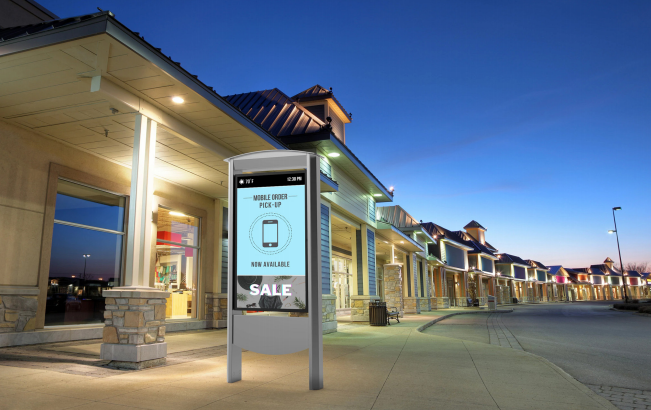
Digital signage refers to the use of digital displays, such as LCD, LED, or projection screens, in scenarios like retail window projection, to present visual content for information, communication, or engagement. Unlike static printed signs, digital signage allows content to be updated quickly, scheduled at specific times, and tailored to particular audiences or environments.
In this article, we’ll take a deep dive into what digital signage is, how it works, where it’s commonly used, and why it plays an increasingly important role in modern communication and marketing. We’ll also explore the current trends that are shaping the digital signage industry and offer guidance on how organizations can get started.
InfoComm is the home of all things Digital Signage. Learn more about what you can expect at InfoComm 2026 in Las Vegas!
Learn More
What is Digital Signage?
Digital signage is a form of electronic visual communication that uses digital displays to deliver content such as images, video, text, live data, or interactive experiences. These displays can operate independently or as part of a network, enabling centralized control from a single location while spanning hundreds of sites. For example, every fast food outlet in a chain – whether in Maine or California – will show the same items at the same time – breakfast items, the lunch menu when appropriate, and dinner and late-night specials in the evening.
A typical digital signage system includes three main components:
- Displays: Commercial-grade screens such as flat-panel LCDs, LED video walls, projection systems, or kiosks.
- Media players: Hardware or embedded systems that store and play content on the displays.
- Software: A content management system (CMS) used to create, schedule, update, and monitor content remotely – usually from a central location.
Digital signage differs from traditional signage because it is dynamic. Content can change by time of day, location, audience type, or real-world triggers such as weather, inventory levels, or live events.
Examples of digital signage are everywhere:
- Menu boards in quick-service restaurants
- Grocery and convenience stores
- Wayfinding displays in airports and hospitals
- Promotional screens in retail stores – whether a big box store or a smaller outlet
- Information displayed in corporate lobbies, such as visitor welcome information and company history
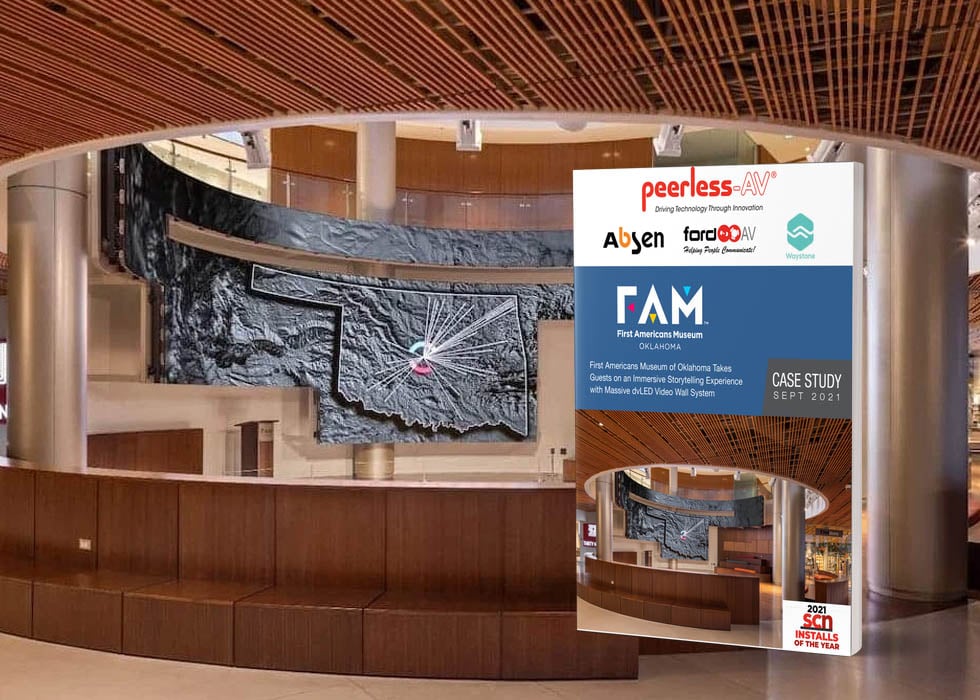
- Video walls in stadiums and entertainment venues – think giant scoreboards and LED ribbons at sports events, LED walls as concert stage backdrops, and LCD/LED displays in museums, colleges, and live theater.
How Does Digital Signage Work?
So how does digital signage work anyway? It’s a lot more than plug-and-play. Digital signage systems rely on a combination of hardware, software, and network connectivity to deliver content to screens.
At the heart of most systems is a CMS. The CMS allows users to upload content, design layouts, schedule playback, and manage displays from a centralized dashboard. The content can be pushed to a single screen or to thousands of screens simultaneously, making it ideal for a multi-site organization, regardless of location.
Digital signage can display several types of content, including:
- Pre-recorded videos and animations
- Static images and branded graphics
- Text-based messaging and alerts
- Live data feeds such as news, weather, and transportation schedules
- Social media feeds and user-generated content
- Interactive touch-based applications
Content is typically delivered over the internet or a private network, though some systems operate locally for security or reliability reasons. Advanced deployments may integrate with sensors, cameras, point-of-sale systems, or building management systems to create more responsive and context-aware experiences.
Benefits of Digital Signage
Digital signage delivers several advantages over traditional printed signage, making it attractive across industries.
Enhanced Engagement
Motion, color, and video attract attention. Digital signage can communicate messages more effectively than static signs, increasing recall and engagement.
Flexibility and Real-Time Updates
Content can be updated instantly without reprinting or reinstalling it. This is especially valuable for time-sensitive information, promotions, and emergency messaging.
Cost Efficiency Over Time
While initial hardware costs may be higher than those for printed signage, digital signage reduces long-term expenses for printing, distribution, and manual updates.
Data and Analytics
Many digital signage platforms offer analytics that allow organizations to track content performance, audience interaction, and dwell time. This data helps organizations refine messaging and improve outcomes.
Common Uses of Digital Signage
Digital signage is highly adaptable and used across many sectors:
Retail
Retailers use digital signage for promotions, product education, pricing updates, and in-store navigation (wayfinding). Dynamic displays can influence purchasing decisions at the point of sale.
Hospitality
Hotels, restaurants, and venues rely on digital signage for menu boards, event schedules, guest information, and wayfinding. Walk into most hotel lobbies, and you will see digital signage welcoming you, promoting local landmarks and specials, and displaying road and weather conditions.
Corporate Environments
Digital signage supports internal communication, brand messaging, performance dashboards such as current stock prices, and visitor information in offices and campuses.
Education
Schools and universities use digital signage for campus updates, class schedules, emergency alerts, and student engagement.
Healthcare
Hospitals and clinics deploy digital signage for patient information, wait times, wayfinding, and health promotion and education, helping reduce confusion and improve the patient experience.
Types of Digital Signage
Digital signage systems come in many forms, depending on the environment and use case.
Indoor vs. Outdoor
Indoor signage prioritizes image quality and design flexibility, while outdoor signage requires high brightness, weather resistance, and durability. For outdoor signage, picture New York City’s Times Square, Los Angeles, or the Las Vegas Strip with dozens of digital signage promoting hotels, shows, products, upcoming Hollywood movies, restaurants, and everything in between.
Interactive vs. Non-Interactive
Interactive signage allows users to engage through touchscreens, gesture control, or mobile integration, while non-interactive signage focuses on passive communication. Touchscreens are becoming more popular in museums, science centers, and art galleries, where a single touch of the screen can provide you with the history of the painting, the artist, or any object or image you are viewing.
Video Walls, Kiosks, Standalone Displays
Video walls are frequently installed in command and control centers, such as public transit centers, traffic monitoring facilities, or military and airport facilities. They’re also installed in sports stadiums and arenas.
Standalone displays, as the name suggests, exist on their own in a dedicated area. Think of a perfume ad in a shopping mall. The image could be static or active.
Then there are kiosks, which may be a bank of self-ordering menu boards in a fast food outlet or even a retail store. Key in your order on the touch panel, and within minutes it's ready.
Recommended Reading 📖: Video Wall Solutions: What to Know Before Installation
Trends in Digital Signage
Digital signage continues to evolve alongside advances in professional AV technology.
AI and IoT Integration
Artificial intelligence and Internet of Things (IoT) technologies enable personalized content, audience measurement, and automated decision-making. Although not without controversy, this is the fastest-growing sector of digital signage.
Growth of Interactive Experiences
Touchscreens, mobile interaction, and immersive displays are becoming more common as users expect more engaging experiences. Gone are the days of dry museum exhibits or scoreboards showing little more than the score and time left in the game. Audiences today want content they can explore, control, and interact with, so every visit is memorable and personalized.
Higher Resolution Displays
4K and 8K displays deliver sharper visuals, especially for large-format and close-viewing applications.These screens are ideal for ensuring an immersive and high-impact experience for applications where viewers are up close.
Sustainability and Energy Efficiency
Manufacturers and integrators are increasingly focused on energy-efficient displays, longer product lifecycles, and sustainable installation practices. Digital displays help reduce costs and environmental impact while delivering reliable performance.
How to Get Started with Digital Signage
Implementing digital signage starts with clear goals, thoughtful planning, and budgeting.
Key steps include:
- Define objectives: Ask yourself what you are trying to accomplish. Determine whether the goal is marketing, information sharing, engagement, or wayfinding.
- Choose the proper hardware: Select displays suited to the environment and viewing conditions.
- Select a CMS: Look for software that matches your technical capabilities and content needs.
- Plan content carefully: Effective digital signage prioritizes clarity, simplicity, and relevance.
- Work with professionals: Experienced AV integrators can help design, deploy, and support scalable systems.
For professionals entering or expanding in the AV industry, AVIXA provides education, training, and certification to support digital signage projects of every kind.
Digital Signage: The Takeaway
Digital signage is a powerful communication tool that combines visual impact, flexibility, and data-driven insight. By replacing static signage with dynamic, adaptable displays, organizations can improve engagement, streamline communication, and respond more effectively to changing needs.
As digital signage continues to evolve with advances in AI, display technology, and networked systems, its role in professional AV environments will only grow. Whether used for marketing, information, or engagement, digital signage offers organizations a versatile platform to communicate more effectively.
To learn more about digital signage technologies, best practices, and professional development opportunities, explore AVIXA’s extensive educational and industry resources.
Main photo credit: Getty Images/Mindaugas Dulinskas
- Share to Facebook
-
Share to X/Twitter

- Share to LinkedIn
- Share with Email